
Your branded online store.
Give customers one place to browse your inventory, choose hire dates, check availability and add relevant extras.
The hire operating system
Take bookings online.
Run the day in HireFlow.
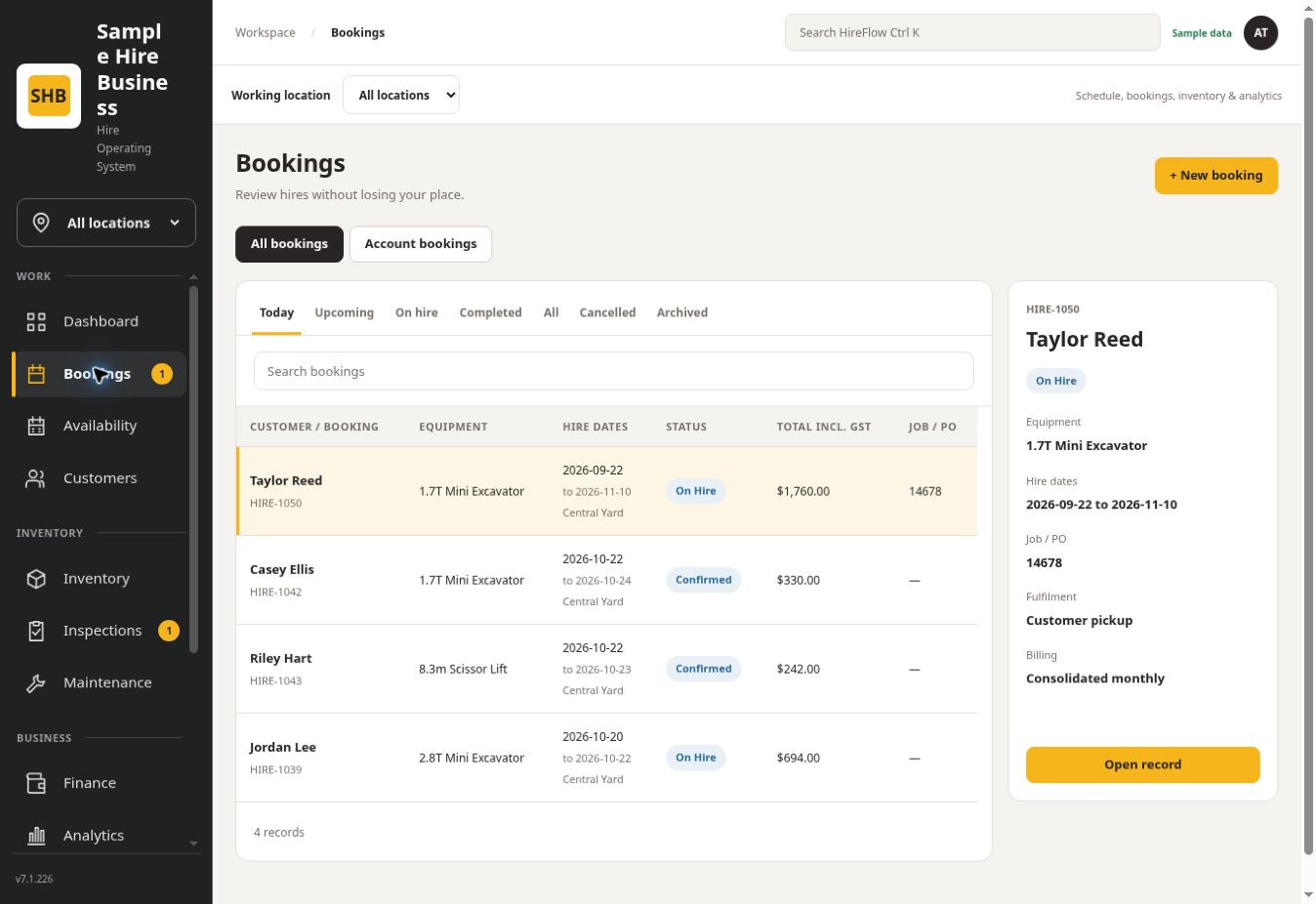
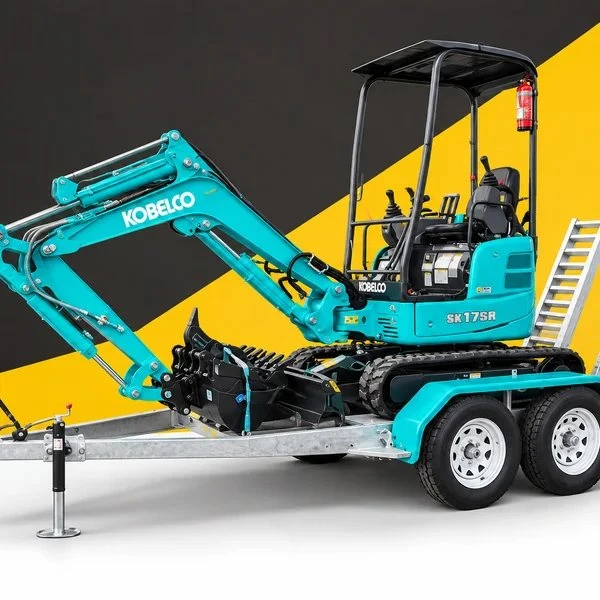
Actual HireFlow interface.
Fictional sample records.
Your full store or an equipment link.
The inventory behind every hire.
Bookings, people and the next step.
See how it all connects
Explore the workspace your team uses and the booking pages your customers see. These are HireFlow’s actual screens with fictional records.
Explore bookings, customers and the work around each hire. The full app menu and forms are interactive.
The full interactive app is included above. Sample changes stay in your browser. Live payments, emails, notifications, AI and provider connections are disabled in the demo.
Online bookings, your way
Use your branded HireFlow store or keep your existing website. Both connect to the same inventory, availability and hire records.
Give customers one place to browse your inventory, choose hire dates, check availability and add relevant extras.
Add a booking link to any equipment page. Customers open that item in HireFlow, ready to choose dates and request their hire.
Availability checks · Your approval settings · Customer and hire details
The work that follows
Keep the customer, the equipment and each stage of the hire together. All features and unlimited users are included on every plan.
Keep customer details, signed hire agreements and readiness checks connected to the booking.
Record condition, photos and meter readings before and after hire, with the history against the asset.
Plan service jobs, track parts stock and keep past maintenance close for the next hire.
Review hire charges, payment balances, quotes and invoices from one workspace.
Assign assets to their Home location and use the Working location selector to focus Schedule, Bookings, inventory and Analytics. Each location has its own pickup details, hours and booking link.
Customer accounts and invoice numbering stay shared. View one location or All locations.
Give the office, managers and operations staff individual logins, roles and page permissions through Staff & Admin. Everyone works from shared records, with no per-user subscription charge.
Create a secure Stripe payment link from a hire. Successful linked payments update its payment status and readiness. Record cash, bank transfer or external terminal receipts through the booking payment menu.
A connected Stripe account is required. Processing fees apply. The sample app does not process payments.
Connect Xero or QuickBooks Online. Review hire charges, approve invoices and sync them to your connected accounts. Bring linked payment balances back into HireFlow. MYOB is coming soon.
Requires the relevant provider account and configuration. Sync functions vary by provider.
Consolidate eligible uninvoiced hires in the same calendar month or keep them separate. Save customer preferences and group billing by customer or job reference.
Long hires can receive month-end drafts for unbilled periods. Each hire keeps its dates, equipment and inspection record; your team reviews and approves invoices before sending.
Put a unique QR label on an asset to open prestarts and linked guides. Authorised staff can sign in to inspections, maintenance and the asset record. Export individual or bulk branded labels.
Radius Kinesis Pro can bring mapped machine hours and locations into HireFlow. A provider connection and device mapping are required.
Search compact asset records, use the seven-day availability grid, manage hire rates and review utilisation in Analytics. Build quotes with inventory, dates, custom items and discounts, then check availability when accepting a hire.
Moving to HireFlow
Bring across the records you already have. Start with your customers and inventory, then connect your website and the tools you use.
Import customers, hire assets, rates and parts from CSV templates. Match existing records by customer number or email, asset code, or Part ID / SKU. Test a small sample and review updated or skipped rows.
Upload old PDF, JPG, PNG or WebP service reports. Review dates, work and meter readings, then save historical maintenance against the correct asset with the original report attached.
Use your HireFlow online store or add equipment booking links to your existing website. Your team keeps one inventory and one place to manage the hire.
Import tools are included on every plan. Optional service-report reading requires your configured OpenAI connection; AI usage is billed separately. You can also enter historical records manually.
Simple pricing by hire asset count
Choose your hire asset count. Bring your whole team.
The full HireFlow software suite is included on every plan.
Monthly billing. Choose yearly for 12 months at the price of 11.
What counts as a hire asset? One individually tracked hire unit in HireFlow. Three separately tracked items count as three hire assets, even if they belong to the same product category.
Starter
AUD, excluding GST
$75.90 per month including GST
Yearly: $759 ex GST ($834.90 incl. GST).
Growth
AUD, excluding GST
$163.90 per month including GST
Yearly: $1,639 ex GST ($1,802.90 incl. GST).
Fleet
AUD, excluding GST
$328.90 per month including GST
Yearly: $3,289 ex GST ($3,617.90 incl. GST).
151+ hire assets
All HireFlow software features and unlimited users, with an agreed asset allowance and price for your inventory.
The full suite. On every plan.
Your plan changes with your hire asset count. Feature access and unlimited staff users stay included.
All prices are in AUD, with GST totals shown above. Yearly plans are billed upfront. Optional AI usage, payment processing and third-party service charges are paid separately. Connections require the relevant provider account and setup.
Good to know
Getting the right system starts with understanding how it fits your business.
Bookings, availability, customers, hire agreements, payments, inspections, maintenance, parts, reporting, staff access and social media tools sit in one HireFlow workspace. Manage the daily operation and promote your business from the same app, with accounting and other connections configured for your business.
Yes. Starter, Growth, Fleet and custom plans include all HireFlow software features and unlimited users. The subscription tier is determined by hire asset count. Optional AI usage, payment processing and third-party provider charges are separate; integrations require the relevant account and setup.
Yearly billing includes one month free: receive 12 months for the price of 11 monthly payments, billed upfront. Starter is $759/year ex GST ($834.90 including GST), Growth is $1,639/year ex GST ($1,802.90 including GST), and Fleet is $3,289/year ex GST ($3,617.90 including GST). The same full suite and unlimited users are included. Custom plans are agreed individually.
Yes. Add your branded HireFlow booking link to your website or share it directly. Customers choose dates, check live availability, select equipment and configured extras, and review a GST-inclusive summary before submitting their details. With Require approval enabled, requests create pending holds for your team to review. Turn approval off to confirm available bookings automatically after the booking checks pass. Availability is rechecked at submission, and delivery is arranged directly with your team.
Yes. HireFlow can suggest consolidating eligible uninvoiced hires for an account customer in the same calendar month. Keep bookings separate or save a monthly preference, with grouping by customer or job reference. Hires spanning months can produce month-end drafts for unbilled periods. Your team reviews and approves invoices before sending. Try Monthly billing in the demo with the Westland Civil sample account.
Yes. The Social Media workspace brings team drafts, inventory photos, branding, platform-specific captions, previews and scheduling into HireFlow. Connect Facebook Pages, Instagram professional accounts or Google Business Profile locations to publish supported text and photo updates. TikTok is coming soon. Publishing requires the relevant provider setup and access. Video, Reels, Stories, paid adverts and engagement analytics are outside the initial release.
Yes. Optional AI tools can write and improve captions, create images and edit a selected photo. An Admin connects your business’s OpenAI account and enables the tools. You review the results before publishing. OpenAI bills usage separately; configured daily request limits are not dollar spending caps. Applying your saved company branding does not require an AI request.
Yes. Manage multiple locations in one HireFlow workspace, each with its own address, contacts, opening hours, pickup instructions and online booking link. Assign equipment to a Home location, then use the Working location selector to focus Schedule, Bookings, inventory and Analytics on one location or view All locations. Customer accounts and invoice numbering remain shared across the business. Explore multiple locations →
Yes. Every plan includes unlimited users with individual logins, roles and page permissions through Staff & Admin. Your office, managers and operations team work from the same booking, asset and maintenance records. There is no per-user subscription charge.
With Stripe connected, you can create a payment link for a booking and send it to the customer. The customer pays through Stripe-hosted checkout. Successful linked payments update the booking’s payment status and readiness. Processing fees and bank payout details are managed in Stripe.
Yes. Use CSV templates to import customers, hire assets and parts inventory. Existing matches can be updated by customer number or email, asset code (Plant Number in the CSV template), or Part ID / SKU. Check a small sample first and review the added, updated and skipped results. See how to move to HireFlow →
Yes. Upload a clear PDF, JPG, PNG or WebP service report, review the extracted dates, work, meter readings and other details, then save selected events against the correct asset. The original report stays attached to the historical records. You can also enter past services manually. Automatic document reading requires your configured OpenAI connection and separately billed AI usage.
Each asset can have a unique QR code. Operators can open prestarts and linked guides. Authorised staff can sign in from the menu to access inspections, maintenance and the full asset record. Download individual artwork or export branded inventory labels.
Connection options include Stripe, Radius Kinesis Pro, Xero and QuickBooks Online. MYOB is marked Coming soon in the current app. Availability and behaviour depend on the provider, account configuration and setup. Radius equipment must be mapped to the relevant HireFlow asset.
No. The interactive demo uses made-up businesses, people and transactions. Its buttons change the sample view in your browser only. Real app screenshots on this page have identifying details changed.
All features. Unlimited users. Your branding.
One connected workspace for your customers, your team and the work ahead.
 Mini Skid SteerAvailable for your dates$280.00


 Coming soon
Social media & optional AI tools.
Create drafts with inventory photos and company branding, tailor captions, and preview, publish or schedule supported text and photo posts for Facebook Pages, Instagram professional accounts and Google Business Profile.
Optional AI can help with captions, new images and photo edits. Provider connections and permissions are required. AI uses your configured OpenAI account and is billed separately. TikTok is coming soon.